

How to use the E8 Discount Code? (Step by Step)
1. Copy the E8 Discount Code from the card
Click on the coupon code to copy it to your clipboard and then click on “Go to the deal”.
2. E8 Markets Website

The “Go to the deal” button should land you here. Or you may visit the website of E8 Markets(Formerly E8 Funding) manually.
3. Go to Forex from the menu [If you want to Forex]
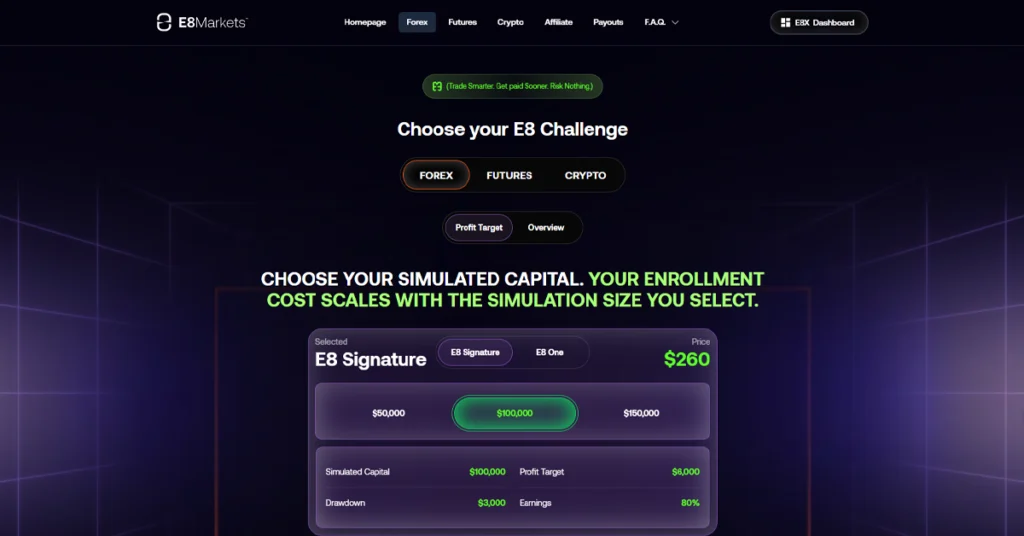
Now choose your E8 Markets account for Forex. They are currently offering just two forex plans. E8 Signature and E8 One.
Compare the offered E8 Markets Program before you choose. Read Forex Trading Journals’ in-house trader review to get a complete picture of E8 Markets. Then find the one best suited to you.
4. Choose the Account Size and Go to Apply Discount
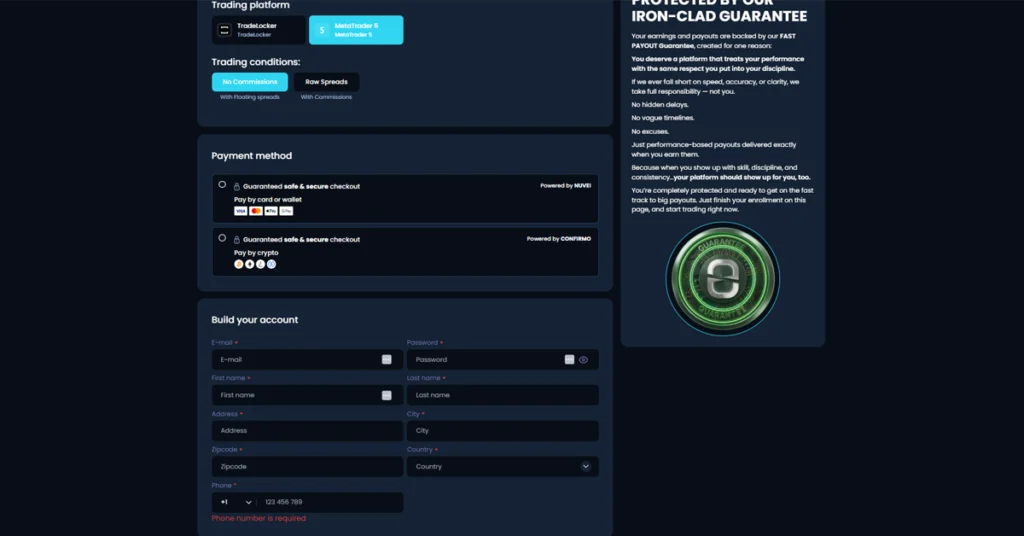
After choosing the account plan, now choose the trading platform and trading conditions. Fill out your billing info before you apply E8 Markets coupon code for a discount.
5. Find the E8 Markets Coupon Section below Checkout form
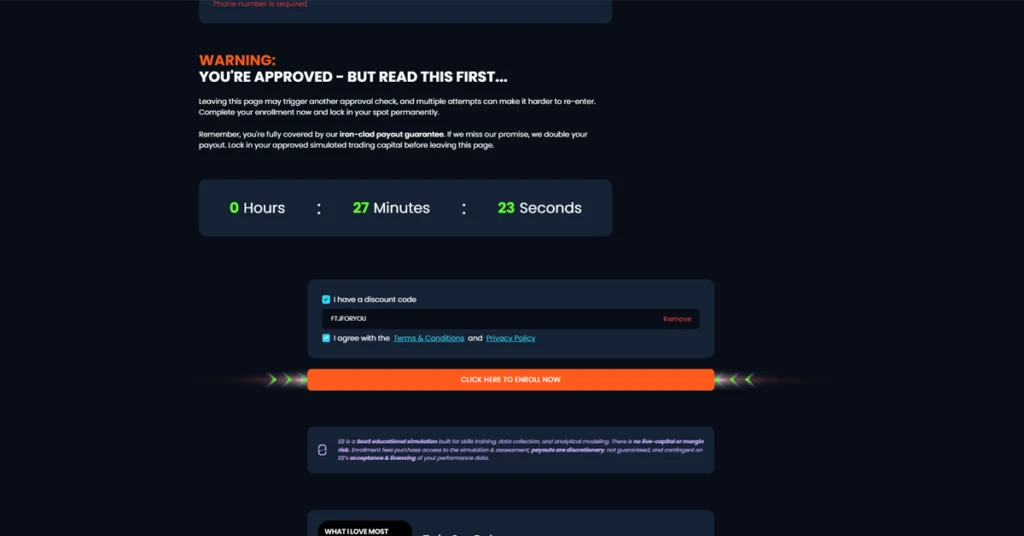
After filling out the form with your information, now paste the coupon code you copied from the card above. Your E8 Market Discount Code now should already be applied.
6. Check the Discounted Price
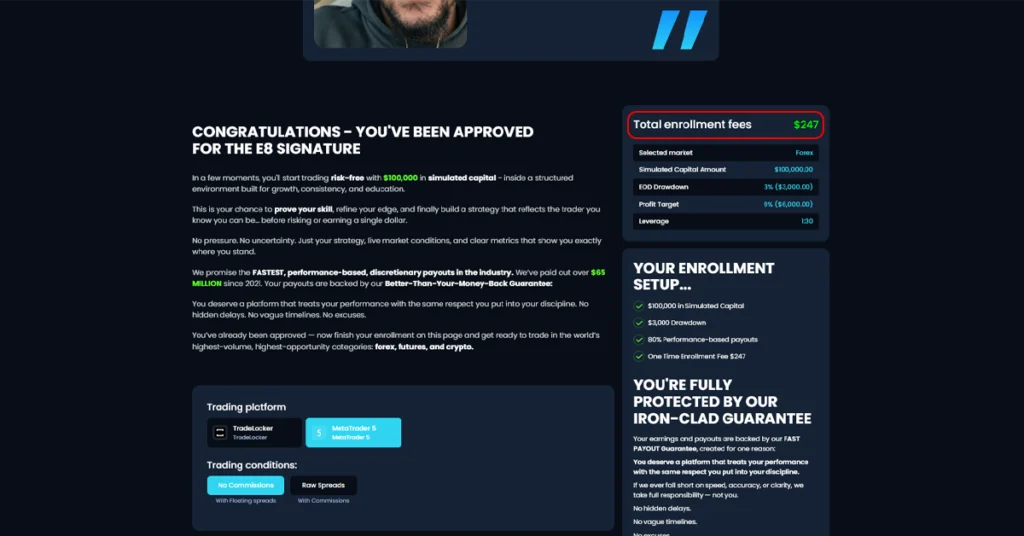
Check if your discount is correctly applied or not, like the one above. If it is not applied, you should talk to us in the live chat. Our agents are online round the clock to support you.
Complete the payment to get started with E8 Markets and experience the growth journey.